An Amazon wish list is one of the easiest ways for a charity to ask for supplies. A donor clicks a link, buys an item, and Amazon ships it to your door. Setting up an Amazon wish list for nonprofits takes a few minutes, but a few settings make the difference between a list that works for a charity and one built for a birthday. Here's how to set it up well, and what it can't do.
Want the donors, not just the items? An Amazon wish list gets things to your door, but you rarely learn who sent them. Aid Registry is a free wish list built for charities: donors can share their name and email with you, every donor gets a tax receipt, and everything arrives together. There's a side-by-side comparison at the end of this guide.
Before you start: use an account that belongs to your organization
Sign in with an Amazon account that belongs to your nonprofit, using a shared email address your team can get into, not a staff member's personal account. The list and its order history then stay with your organization when people move on.
A note if you remember AmazonSmile: Amazon ended AmazonSmile in 2023, and its charity lists went with it. Today a nonprofit's list on Amazon is a regular wish list, set up the way described below.
Step 1: Create the list
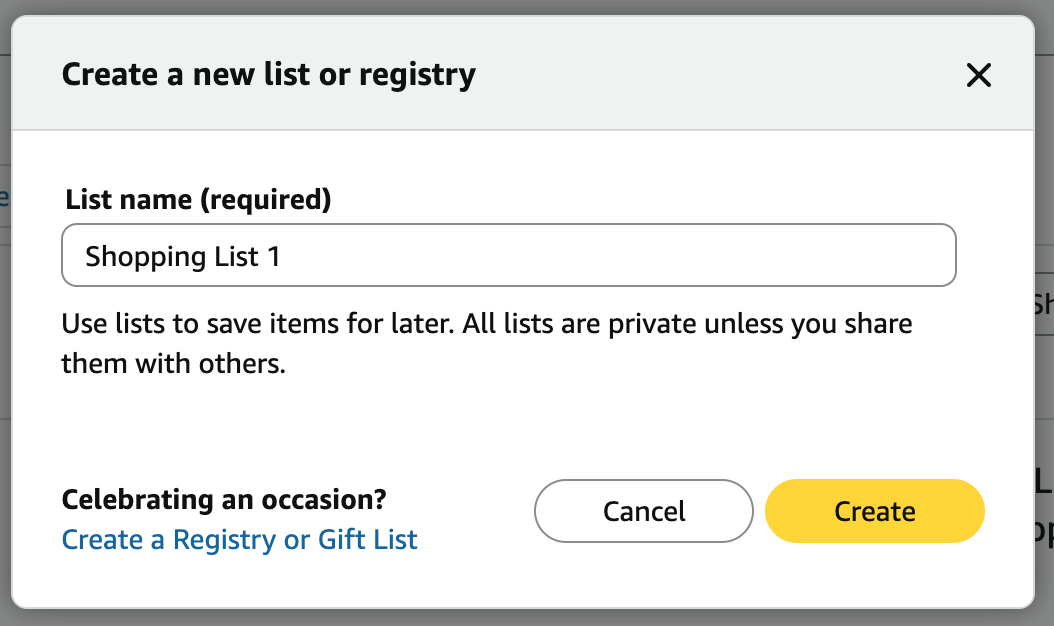
On Amazon, go to Account & Lists, choose Your Lists, then Create a List. In the box that opens, give it a name under List name and choose Create. Name it after your organization, for example "Harbor Street Shelter wish list", so donors who search for you can find it.
Skip the Create a Registry or Gift List link in the same box. That's for weddings, babies and birthdays; a regular list is the right kind for a charity. Every new list starts out private, and the next step changes that.
Step 2: Set it up for your organization
Open the list's menu and choose Manage list. Amazon's defaults are set for a personal gift list, so a few need changing:
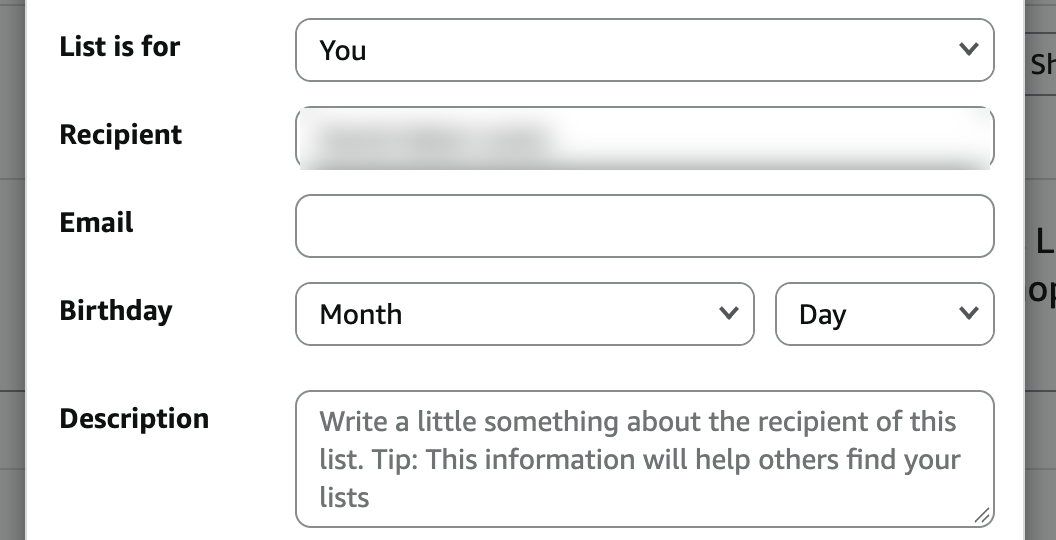
- List is for. Change it from You to An organization.
- Recipient. Amazon notes that "people who access your list will see your recipient name", and it starts out as the account holder's own name. Change it to your organization's name.
- Privacy. New lists start as Private. Change it so donors can open the list: Shared lets anyone with the link see it, and Public also lets people find it by searching.
- Description. Write a sentence about your organization and what the list is for. Amazon says this helps people find your list.
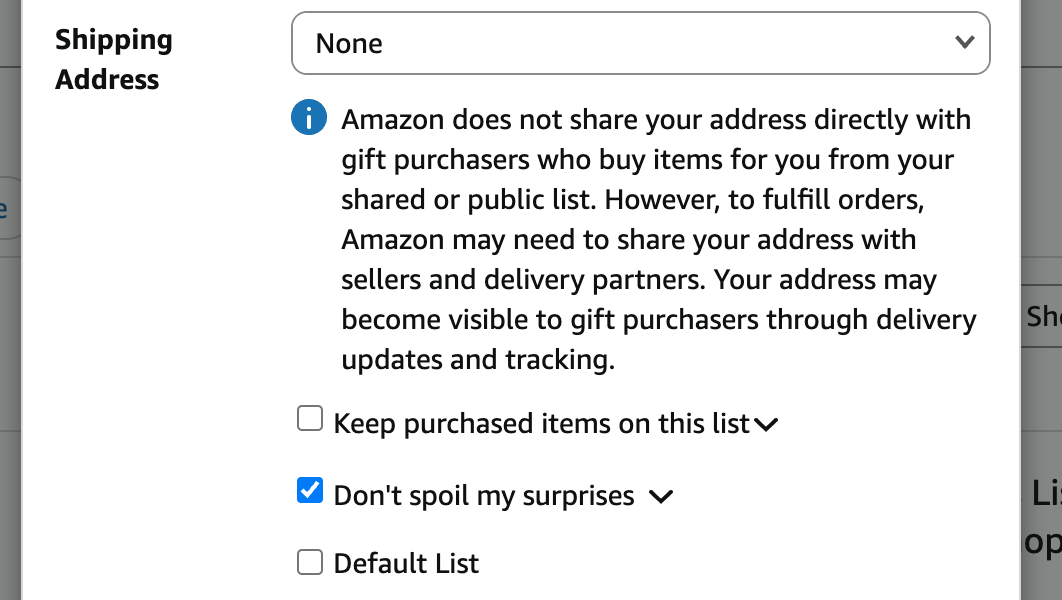
- Shipping address. Choose your organization's delivery address, so donors' orders come straight to you. Amazon doesn't show the address to donors directly, but it can become visible to them through delivery updates and tracking, so use your organization's address, never someone's home.
- Keep purchased items on this list. Leave this unticked, the default, so items drop off once they're bought and donors only see what's still needed.
- Don't spoil my surprises. This is ticked by default, which hides from you what donors have bought. Untick it, so you can see what's on its way.
Step 3: Add items, and say what each is for
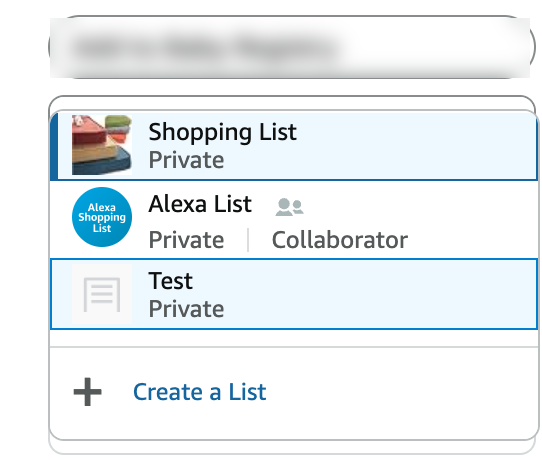
Add products from their own pages. On any Amazon product page, the list button is labelled with your default list, such as Add to Shopping List. Open its dropdown, pick your organization's list, and Amazon confirms the item was added. Don't use the Add item button on the list itself. That adds a plain-text note, like "Blanket", which donors can't buy.
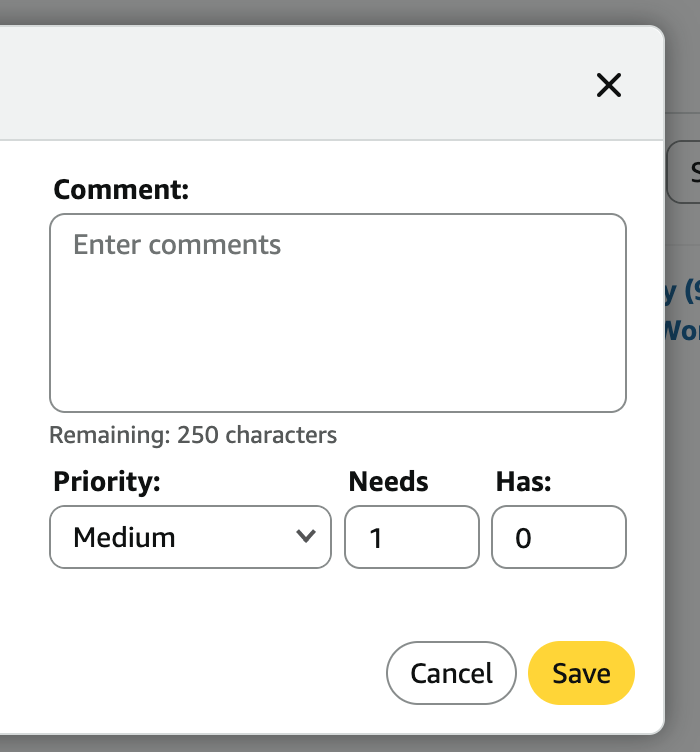
Then, on the list, choose Add a note on each item. It has four settings:
- Needs. How many you need. It starts at 1, so change it: without it, donors can't tell whether you need one or fifty, and you risk getting far more of one thing than you can use.
- Has. How many you already have, starting at 0.
- Priority. It starts at Medium. Raise it for urgent needs and lower it for nice-to-haves.
- Comment. Up to 250 characters on what it's for, such as "Replaces the worn mattresses in our family rooms." Donors give to people, not products.
Keeping Needs and Has accurate takes upkeep, and Amazon won't reset them when you need the same things again next month. On an Aid Registry ongoing wishlist, each item's monthly quantity resets on the 1st by itself.
A few habits help a list get funded. Be specific: "twin-size waterproof mattress protector" beats "bedding". Mix prices, so a donor with $10 and a donor with $150 both find something. And check that items will ship to your address before you add them.
Step 4: Share the link
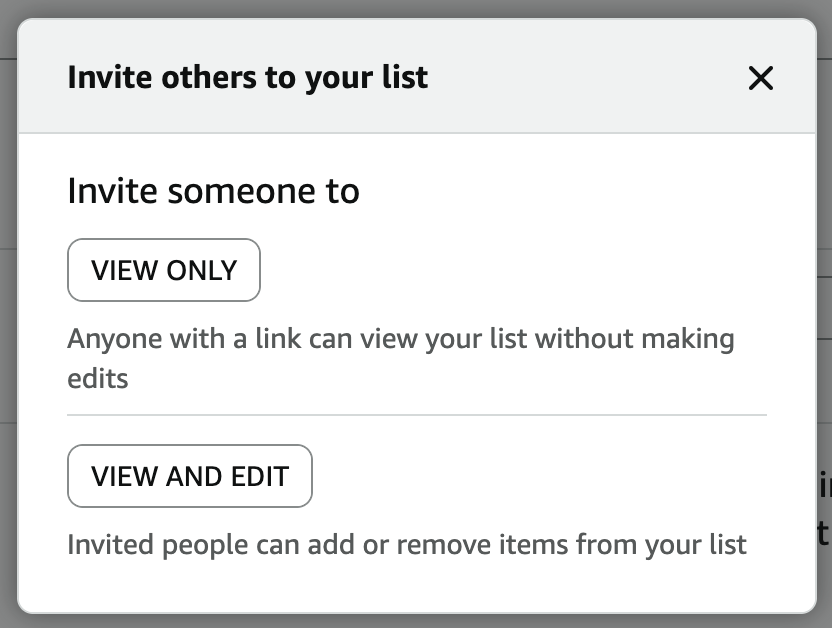
On your list, choose Invite, then View only: "anyone with a link can view your list without making edits". Copy that link. Don't use View and edit, which lets anyone you send it to add or remove items.
Put the link on your website's donate page, in your newsletter and on social media, with a sentence about what the items are for and who they help.
Step 5: Keep it current
A list is only as good as its last update. Remove items you no longer need, update quantities as donations arrive, and add seasonal needs ahead of time. An out-of-date list brings in things you can't use.
Where an Amazon wish list falls short
An Amazon wish list gets items to your door. It was built for gifts between friends, though, so it leaves charities with gaps: you often don't know who gave, items arrive one package at a time, and receipts and thank-yous are left to you. Here's how it compares with Aid Registry, a wish list built for nonprofits.
| Amazon wish list | Aid Registry | |
|---|---|---|
| Who gave | Anonymous, unless the buyer adds a gift note | Name and email of every donor who opts in, ready for your CRM |
| Thanking donors | No way to reach them afterward | Thank them and keep them updated, directly |
| How items arrive | A separate package from each donor, whenever they order | Bought together: once a campaign is funded, or every two weeks for a wishlist |
| Tax receipts | Yours to track down and send | Emailed to every donor the moment they give |
| Proof it arrived | Donors never see it land | Your photos and thank-you go to every donor |
| Where items come from | Amazon's catalog | Amazon, Home Depot and Walmart on one list |
| How donors give | Buy a whole item | Fund any item, or give any amount toward the list |
| Everyday needs | Re-add items after they're bought | An ongoing wishlist's monthly items reset on the 1st |
| Cost to your charity | Free | Free |
Try a wish list built for nonprofits
You don't have to give up your Amazon list to try Aid Registry. Plenty of charities keep one and use Aid Registry for the needs where knowing your donors, and getting one delivery, matter most. Register your charity free, or see how to build an ongoing wishlist step by step.